v2.0 — Source Available

figma-kit

AI-powered Figma design from your terminal and AI agent.

150+ composable, theme-aware commands via the Figma MCP server.

$ brew install dop-amine/tap/figma-kit
From prompt to pixel in seconds

Your AI agent does the thinking. figma-kit does the building.

01

You Prompt

Describe what you want in natural language — a landing page, a dashboard, a pitch deck.

02

AI Reasons

Your agent picks the right figma-kit commands and composes them into a batch.

03

Kit Generates

Each command emits optimized Plugin API JavaScript with theme tokens baked in.

04

Figma Renders

MCP server executes the JS — your design appears instantly in the canvas.

Everything you need, nothing you don’t

One command, not 40 lines

card glass compresses 45 lines of Plugin API JS into a single CLI command with sensible defaults.

🧩

150+ composable commands

8 card styles, 29 UI components, 14 effects, 37 templates, DS generation, and QA audits.

🎨

Themes, not hex codes

Propagate colors, typography, spacing, and effects to every command with -t noir.

🚀

Direct execution

figma-kit exec sends JS to Figma via OAuth. No AI middleman required.

QA in seconds

qa checklist walks every node checking contrast, touch targets, naming, and spacing.

🌎

Works everywhere

Cursor, Claude Code, or standalone terminal. One Go binary. No Node.js, no plugins.

Start from anything

A URL, a screenshot, a description, or a brand guide. AI extracts context and builds.

From a Website

“Match stripe.com and build a SaaS landing page with hero, features, and pricing.”
theme extract compose full-page

From a Screenshot

“Extract colors from this screenshot, create a theme, build a dashboard with sidebar and charts.”
vision theme init ui components

From a Description

“Build a 7-slide pitch deck for a climate-tech startup. Greens and blues. Title, problem, solution, market, traction, team, ask.”
make deck batch brand

From a Brand Guide

“Here are our brand colors (#1A1A2E, #E94560, #0F3460) and font (Poppins). Generate a full design system.”
theme init ds generate tokens
Design with tokens, not hex codes

Built-in themes or create your own. Every command inherits colors, typography, and spacing.

Noir

ACTIVE

Dark mode with blue-teal accents. Glassmorphism-ready.

-t noir

Default

Clean professional palette. Works for any project.

-t default

Light

Bright and airy. Perfect for documentation sites.

-t light
Create your own →  figma-kit theme init --primary "#3366FF" --accent "#14B8A6" Theme Builder →
How this site was built

This entire marketing site was designed in Figma using figma-kit commands.
Every section, card, and theme token was generated programmatically.
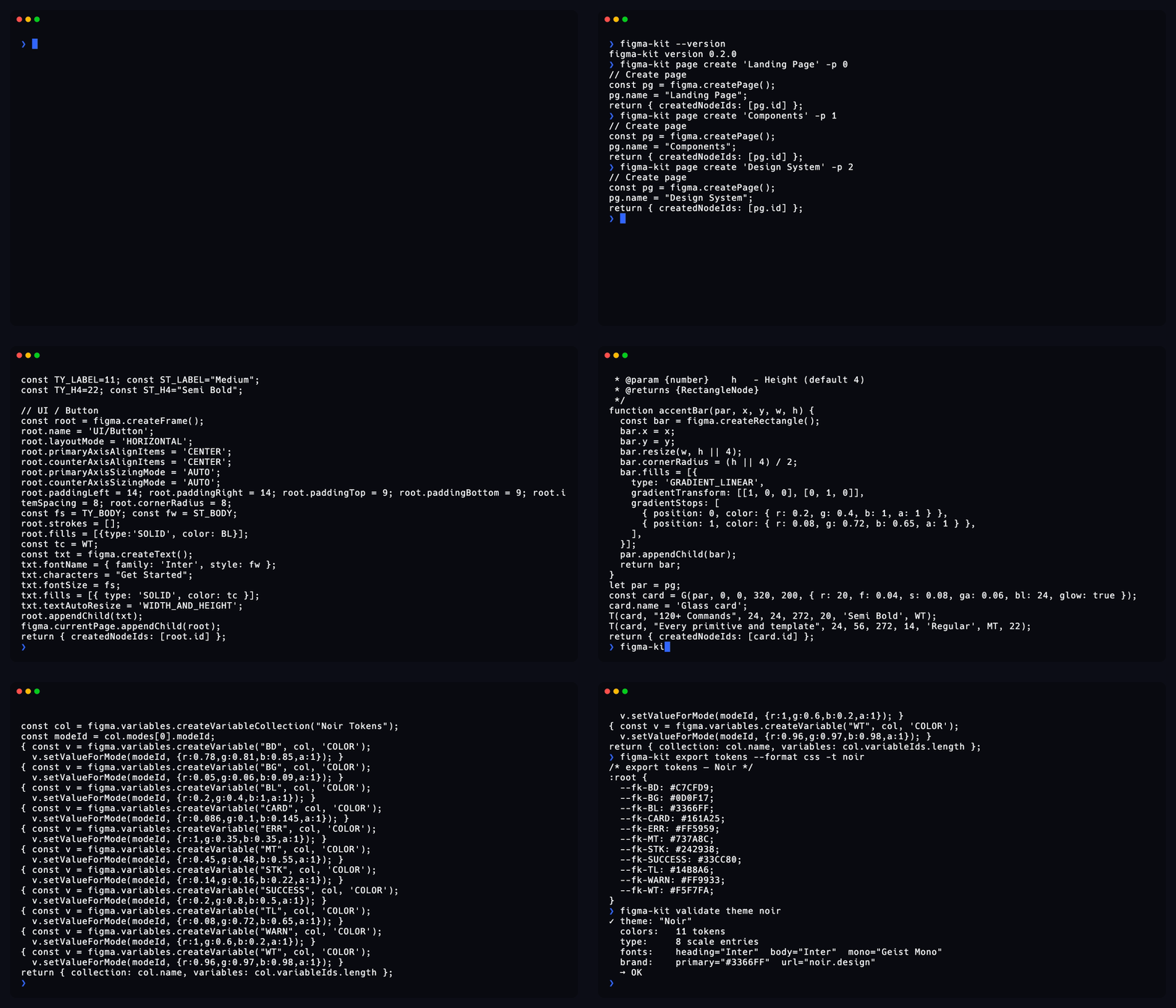
figma-kit terminal demo showing commands building this site
01

Theme

Create or pick a theme with colors, fonts, and tokens.

02

Compose

Chain commands into a single optimized JS payload.

03

Execute

Run via AI agent or exec — design appears in Figma.

Start building in Figma with AI

One command to install. Zero config to start.

$ brew install dop-amine/tap/figma-kit
150+ Commands
8 Card Styles
29 UI Components
14 Effects
3 Themes

Explore the actual design

This is a live embed of the Figma file created by figma-kit. Pan, zoom, inspect. It’s always in sync.